Where this comes from
Ideas got cheaper. Finishing didn't.
Pixelpond started from something I kept noticing in myself. I never had a shortage of ideas — a watch face, a small tool, a game I could already see in my head. What I had a shortage of was finished ones. And the ideas weren't dying in public, where someone could look at them and tell me they were bad. They were fading in private: saved posts, reference boards, half-written notes, tutorials watched one step too many times.
AI changed the math on that. A rough idea can become a prototype in a night. A visual direction can become a working screen. Someone who never felt technical can finally hold the thing that's been sitting in their notes for years. The blank page stops being the wall it used to be.
But getting started was never really the problem — not for me, and I don't think for you either. Finishing is. Almost everything I believe about making things lives in that gap.
Where momentum gets lost
Consumption loop
- Save reference
- Watch another build
- Wait for the perfect idea
- Start over
Creation loop
- Make a small version
- Test it in public
- Refine the details
- Ship the next piece
The fast half
Use the machine for momentum, not taste.
So use AI for exactly what it's good at: closing the boring distance between an idea and something you can actually look at. Let it draft the layout, explain the API, write the throwaway version, put two approaches side by side, get you past the empty screen. That's momentum, and momentum is precious while an idea is still fragile.
But speed isn't the same as care, and this is the line I keep coming back to. A model can hand you options. It can't want anything on your behalf. It doesn't know which small imperfection will bother you tomorrow, which detail makes the work feel honest, or which tradeoff is right for the actual people you're building for. That judgement is the work. It always was.
What AI can help with, and what stays human
Scaffold, compare, explain, unblock.
Use it to lower friction and open up options while the idea is still fragile.
Taste, direction, constraints, finish.
You decide what belongs, what gets cut, what needs care, and when it's ready.
Vibe coding
A prototype is a conversation with reality.
That's why I don't think "vibe coding" deserves the eye-roll it gets. Treated as a shortcut around ever understanding anything, sure, it's hollow. Treated as sketching, it's one of the most useful things you can do. You describe the shape, let the tool take a pass, then judge what comes back. You're not pretending the first output is finished — you're getting something onto the table fast enough that the real decisions can finally start.
Because a prototype talks back. It shows you where the idea was vague: the missing state, the wrong label, the flow that felt smart in your head and feels heavy under your thumb. An hour with a rough working version has taught me more than three hours of thinking in the abstract ever has.
A small idea can become a shipped thing
Name the job
Write the smallest useful promise: what should this help someone do?
Build the proof
Make a version that can be clicked, exported, tested, or shown.
Find the rough edge
Use the prototype to expose what is unclear, slow, ugly, or missing.
Refine and release
Improve the detail that matters, then let the work meet people.
The slow half
Fast tools still need slow attention.
Here's the other half of that rhythm, and honestly the half I care about most. A lot of Pixelpond's taste comes from a kind of Japanese-influenced craft I've always been pulled toward: pride in small details, patience with ordinary things, a belief that refinement is worth it even when almost no one will ever see the work behind it. It's where the name comes from, too — a pond is slow water, a calm place where small things grow if you're patient with them.
Pixel art makes that impossible to ignore. One pixel can change a face, a button, a tree line, the whole mood of a scene. I build watch faces where a single misplaced pixel is the difference between charming and broken. Software is no different — the thing people feel is just a stack of small decisions, repeated until they start to feel inevitable.
Small doesn't mean casual
Craft is the small decision repeated.
- A button label that says the right thing.
- A preset that prevents the easy mistake.
- A saved export that still looks sharp in the final place.
Proof
A studio has to make, not just say.
I'd rather show this than argue it. Pixelpond is small, so the honest way to explain what it is is to build in the open. Services, watch faces, games, free tools — they all grow from the same root: thoughtful digital things with a bit of personality and a real reason to exist.
Pixelpond Engine is the first proof of it. It's a local, in-browser pixel-art reconstruction and editing tool, shaped around exact canvas sizes — built for people who need crisp assets at a precise size instead of a vague image that falls apart the moment they export it.
The work should prove the philosophy

Pixelpond Engine
A local pixel-art reconstruction and editing tool being shaped around exact canvas sizes.

Quick Palette
A small colour workflow helper for collecting palettes and carrying them into the next build.
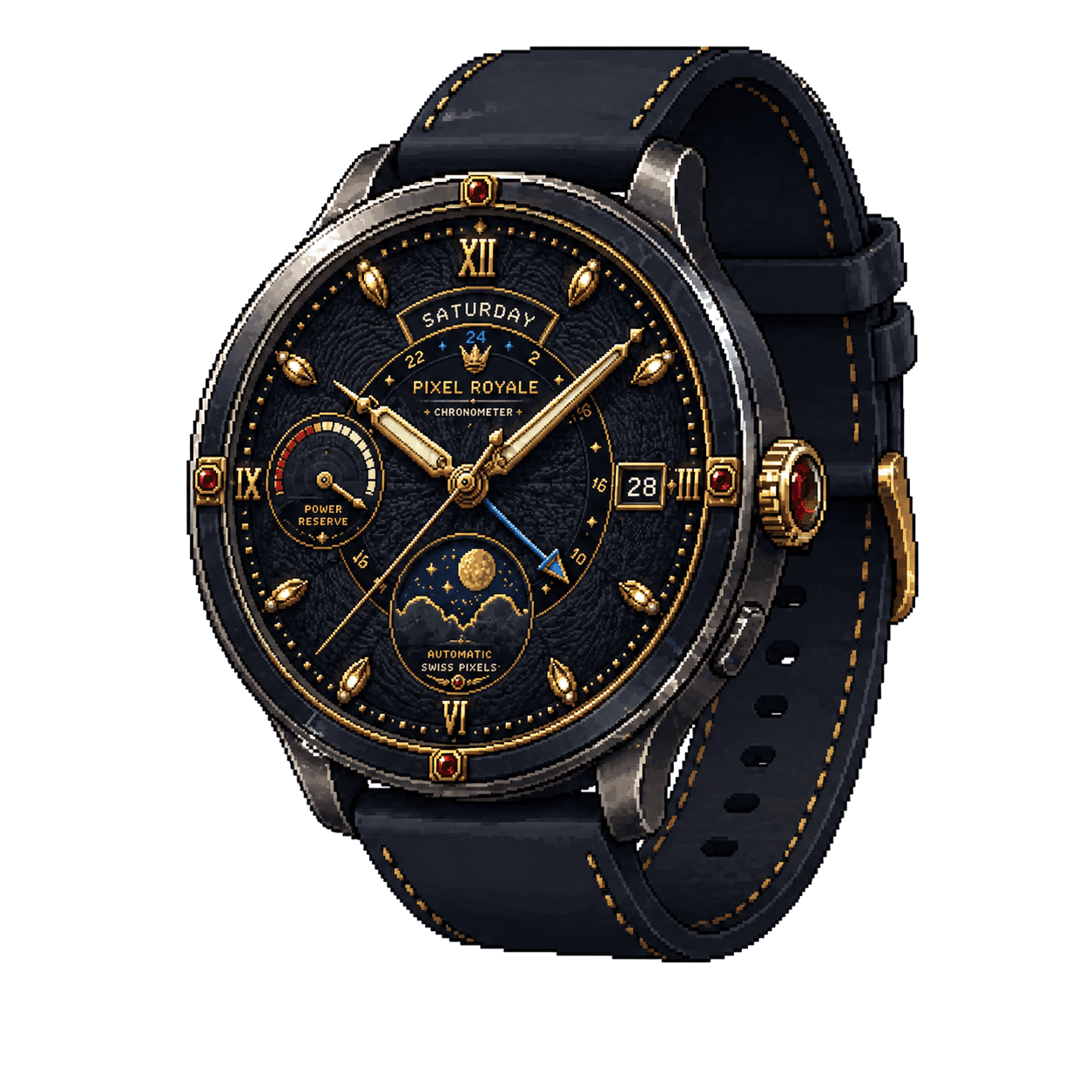
Watch faces
Pixel-style wearable experiments where tiny visual decisions have to survive a real device.
If you take one thing from this
- Stop collecting references the moment you already know the next small move.
- Use AI to lower friction, not to outsource taste.
- Prototype early enough that the real problem can show itself.
- Care about the small detail that makes the work feel intentional.
- Place the first pixel, then the next one.